isTranslucent troubleshooting (iOS15, Xcode13)
전 글에서 Xcode 업데이트 후 네비바가 아작난 사태의 범인이
isTranslucent와 edgesForExtendedLayout 임을 알아냈고…
이제는 고칠 시간!
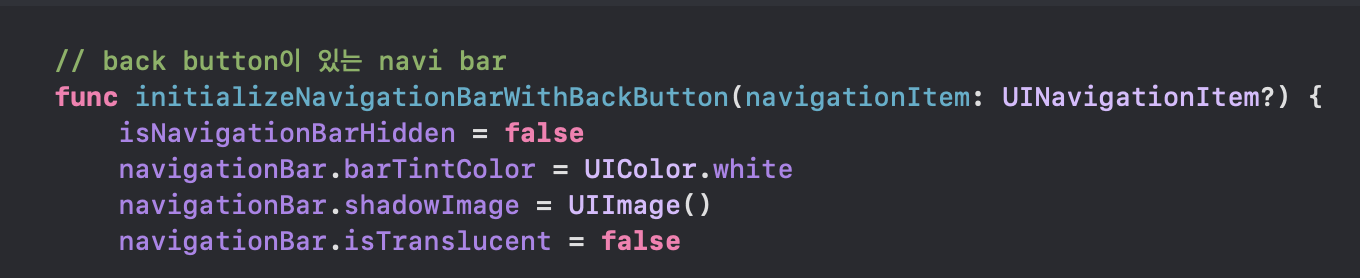
먼저, 원래 문제가 됐던 (아니 이제 문제가 된) 코드 부터 보자면,,,
barTintColor, shadowImage 같은 건 상관 없고, isTranslucent = false가 문제였다.
필요 없는 코드를 지워보자

요 상태에서 빌드하면,
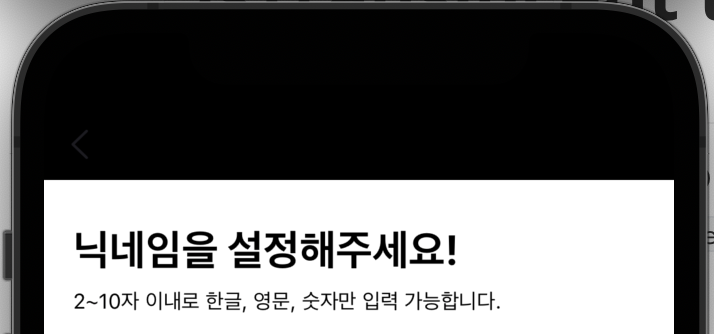
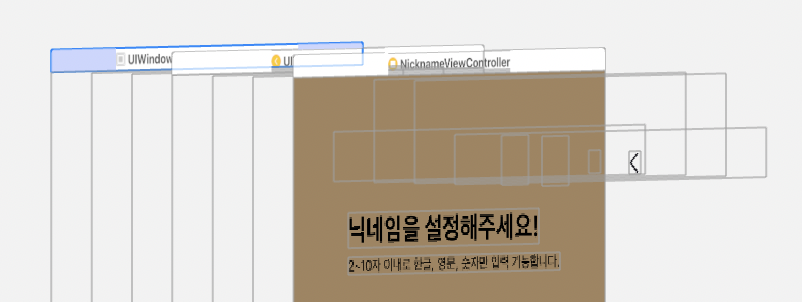
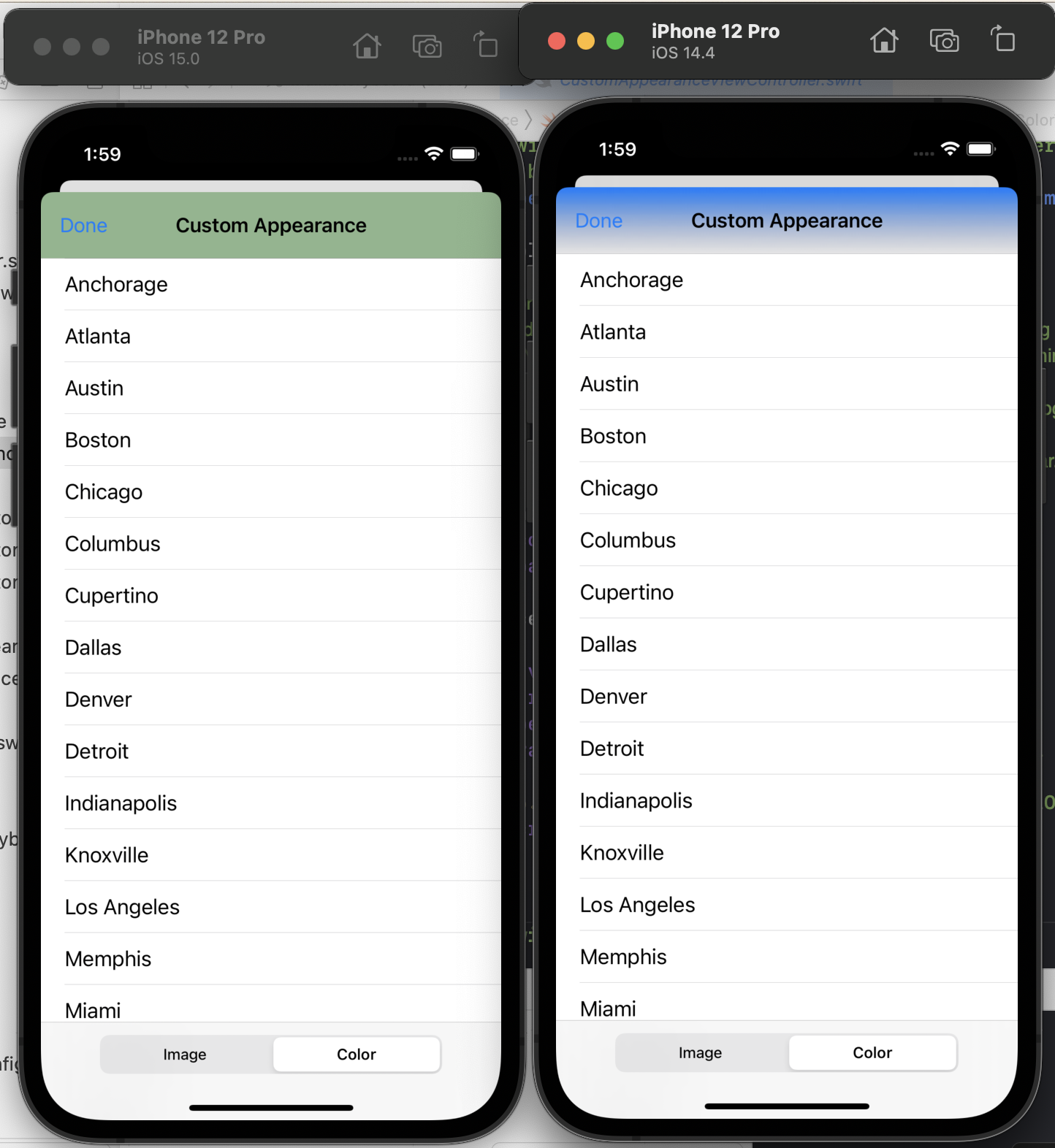
아작난다. view hierarchy는 아래와 같다.
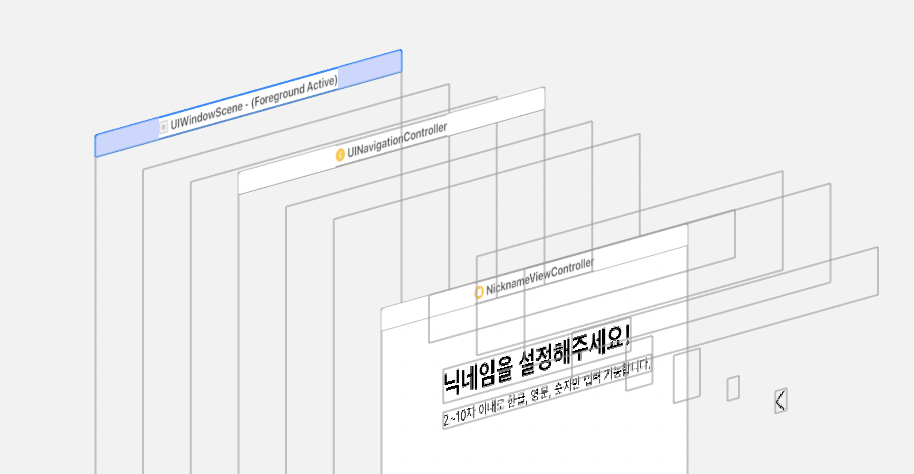
NicknameViewController의 상단이
UINavigationController의 top만큼 extended 되어있지 않다.

그러니까 당연히 navi bar의 배경이 없으니까, 검정색 navi bar가 되는 것!
그럼 이 상태에서, isTranslucent를 true로 바꿔보자.
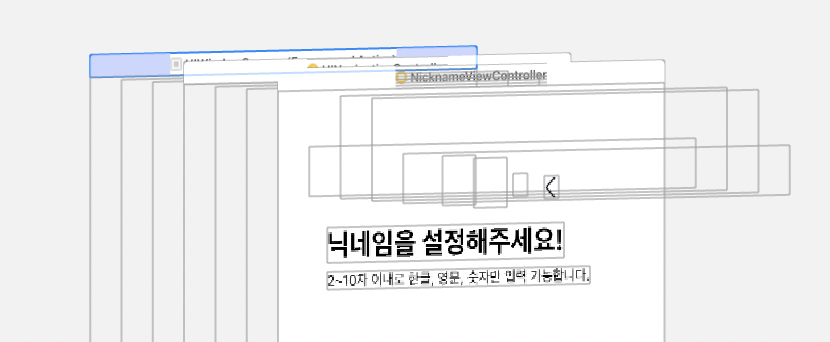
ㄸㅣ용.. isTranslucent가 VC의 extend를 막는거여..?!?!?!
내가 edgesForExtendedLayout = UIRectEdge.all 했을 땐 먹지도 않드만,,,
그리고 투명이네??? 그럼 난 .. 그동안 왜 isTranslucent를 굳이 명시적으로 false로 사용했던거드라…?

분명히 예전엔 isTranslucent를 명시적으로 지정해주지 않으면 안 됐던 것 같아서,,
시뮬도 다운받았다 ㄱ-… 이미 내 폰도 iOS15로 올려버렸기 때문에,,
iOS 15 이전 버전에서 isTranslucent
iOS14 버전으로 빌드를 해보면,
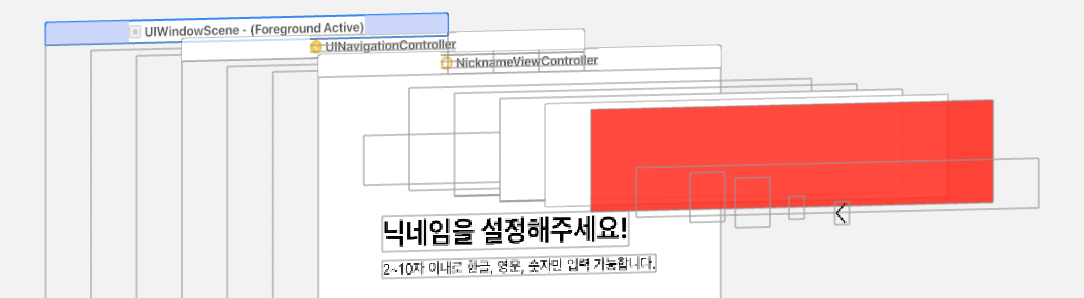
(isTranslucent = true 일 때)
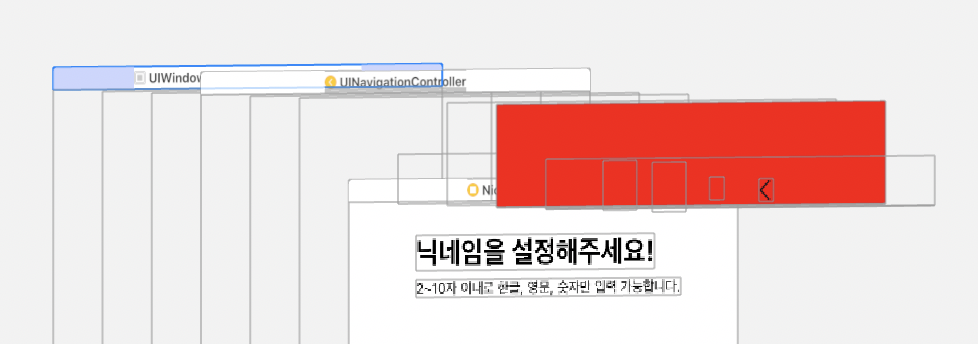
(isTranslucent = false 일 때)
차이점이 있다!
isTranslucent = true일 때- topmost VC가 navigationController의 최상단까지 확장된다.
- 색상이 지정한 색 대로 나오지 않고, 약~간 반투명 처리가 된다.
isTranslucent = false일 때- topmost VC가 확장되지 않는다. (navibar의 끝 == VC의 시작)
- 색상이 지정한 색 대로 나온다.
iOS 15로 업데이트 되기 전, 보통 투명한 Navi bar를 사용했었는데,
이를 위해 isTranslucent를 true로 지정해놓고 사용했던 것!
navigationBar.setBackgroundImage(UIImage(), for: .default)
navigationBar.shadowImage = UIImage()
navigationBar.isTranslucent = true

여기서 isTranslucent만 false로 바꾸면,
navigationBar.setBackgroundImage(UIImage(), for: .default)
navigationBar.shadowImage = UIImage()
navigationBar.isTranslucent = false
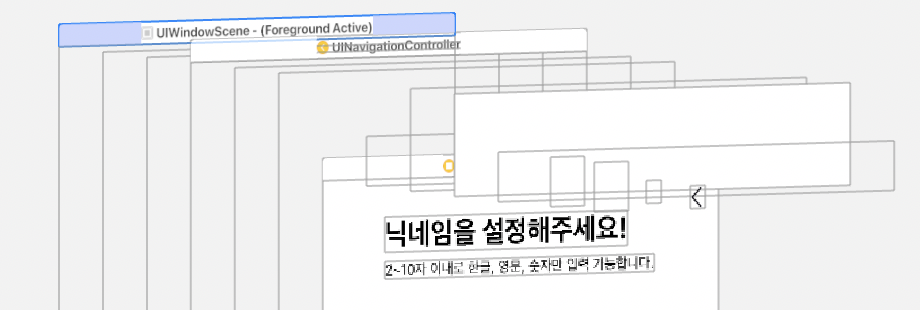
이렇게 navigation bar 에 UIBarBackground 가 생긴다 (ImageView)

그래서 만약 내 뷰의 배경이 SystemBackgroundColor가 아니라 다른 색이라면,
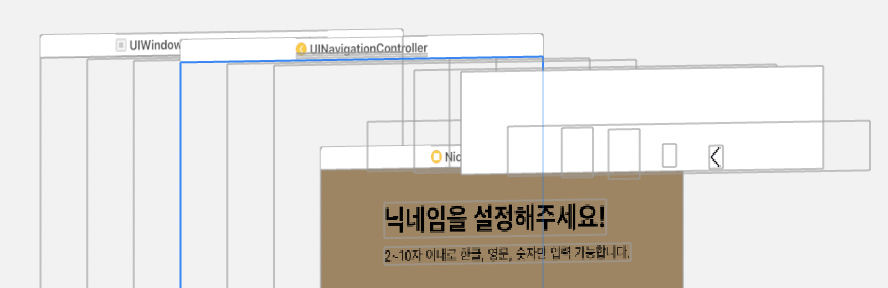
이런 사태가 발생해서 결국
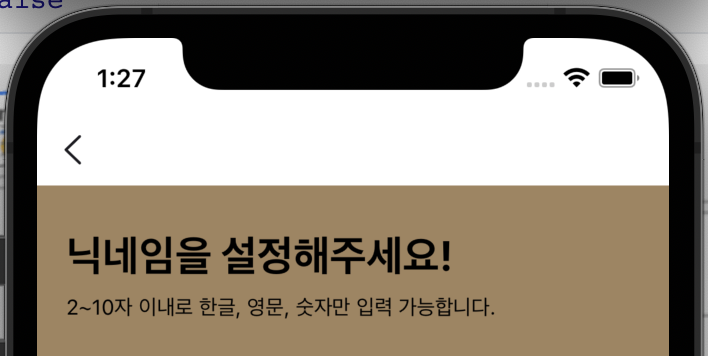
이런 navigation bar가 되는 것이다. (투명이 안 됨)
정리하자면!! 투명 navigation bar를 사용하기 위해 isTranslucent를 true로 설정해 놨었는데,,
이번에 iOS 15로 넘어오면서 visual issue가 발생하게 된 것이다.
다시 iOS 15로 넘어와서
그럼, 고치려면 isTranslucent만 true로 바꾸면 되는 거 아니야? false가 문제라며?
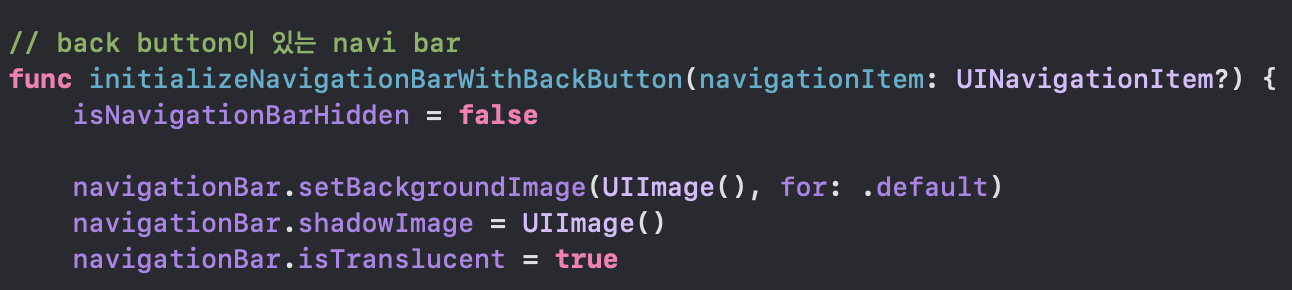
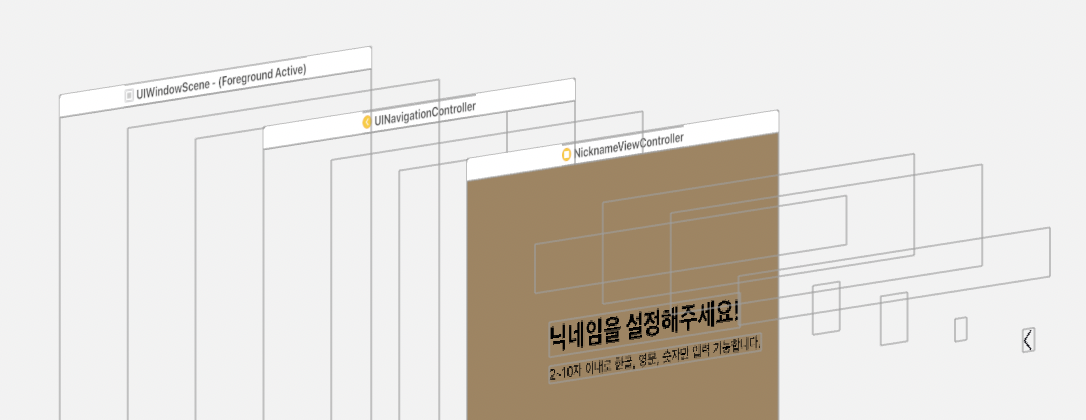
뭐 .. false였던 게 문제였으니.. true로 바꿔주면 iOS15에서는 잘 돌아간다.
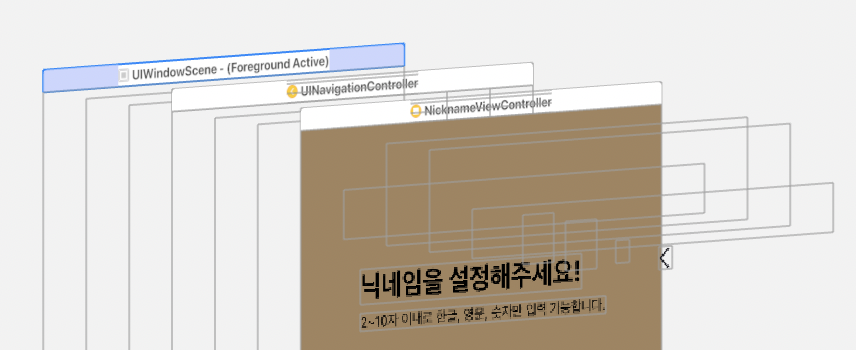
iOS 14에서도 잘 나온다.
isTranslucent를 true로만 하면 문제가 없는걸까?
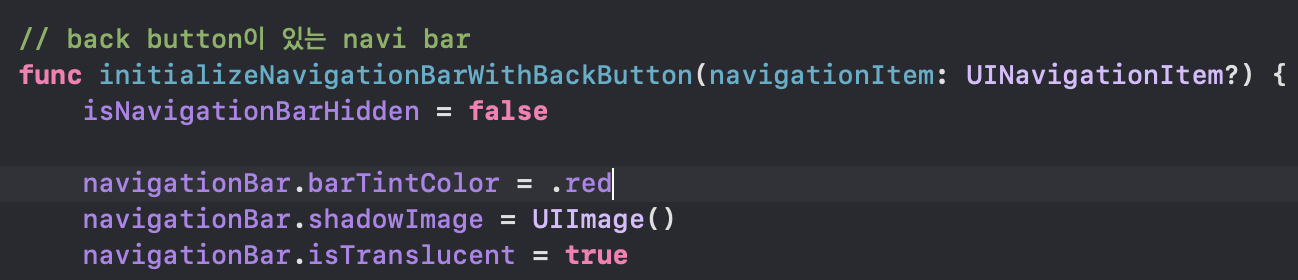
navigationBar.barTintColor = .red
만약, navigation bar가 투명이 아니라 배경색이 있어야 한다면?
(iOS14)
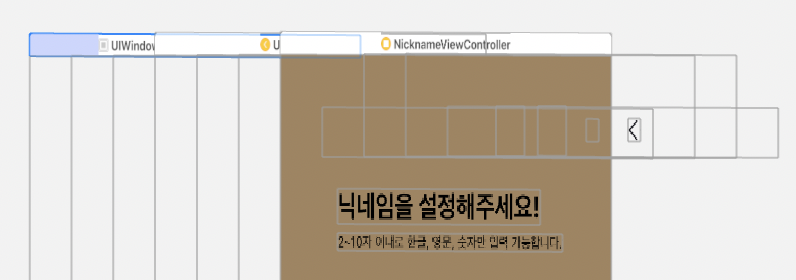
(iOS15)
안먹는다. barTintColor는 isTranslucent가 false여야 먹는다.
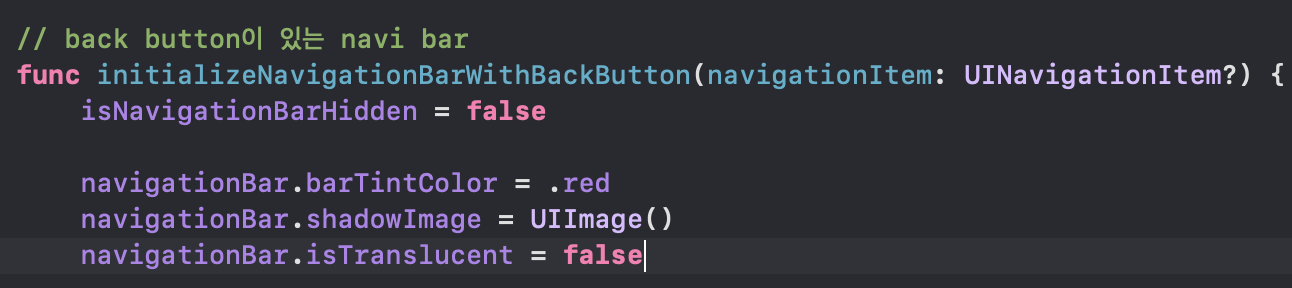
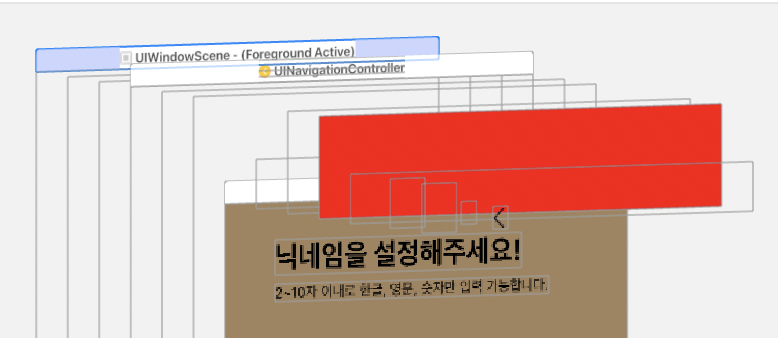
(iOS14)
근데… false 안된다고 했자나.. iOS15에서 visual issue 있다고 했자나…
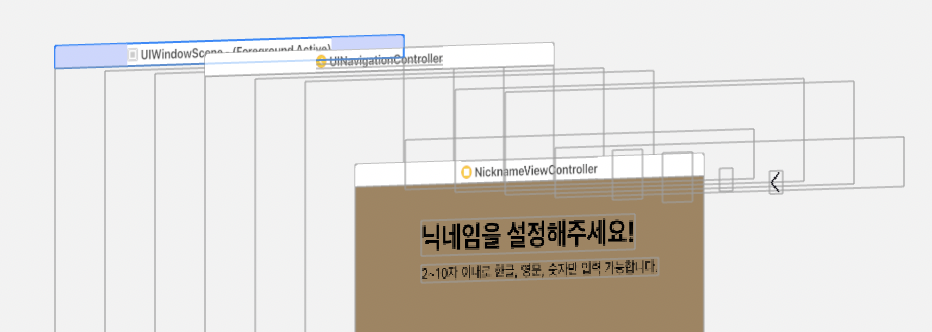
(iOS15)
UIBarAppearance
그래서 이젠 피할 수 없는 UIBarAppearance…
let appearance = UINavigationBarAppearance()
appearance.backgroundColor = .red
self.navigationBar.standardAppearance = appearance
self.navigationBar.scrollEdgeAppearance = appearance
(scrollEdgeAppearance는 iOS15를 위해)
이렇게 설정해주면
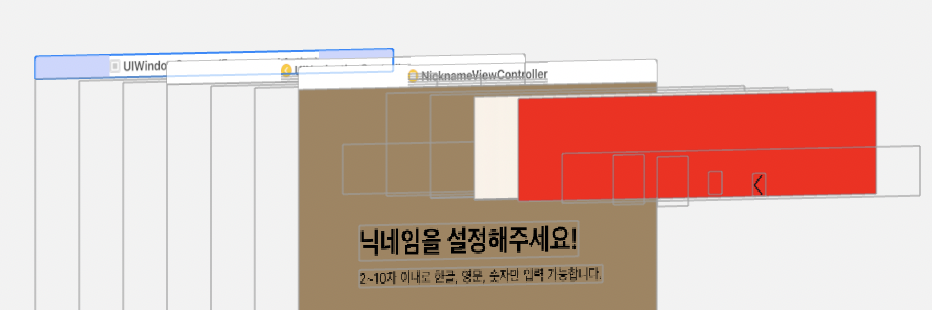
(iOS15)
iOS 15에서 잘 나온다. iOS 14에서는?
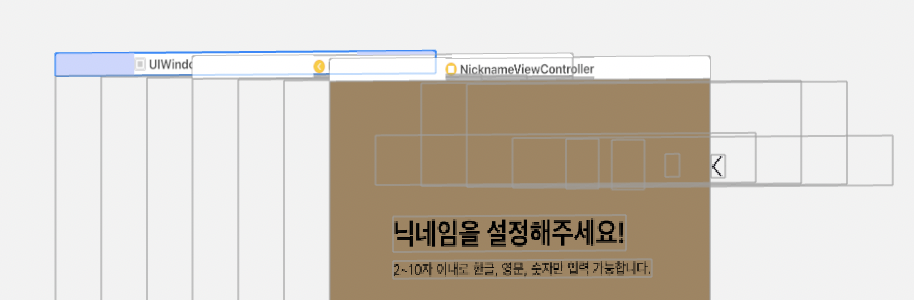
#나한테왜이러는데…
Apple에서 배포하는 Customizing Your App’s Navigation Bar 샘플 프로젝트에서도 똑같은 현상이 발생했다.
iOS14에서
appearance.backgroundColor = .red
이게 안 먹는다. ㄱ-
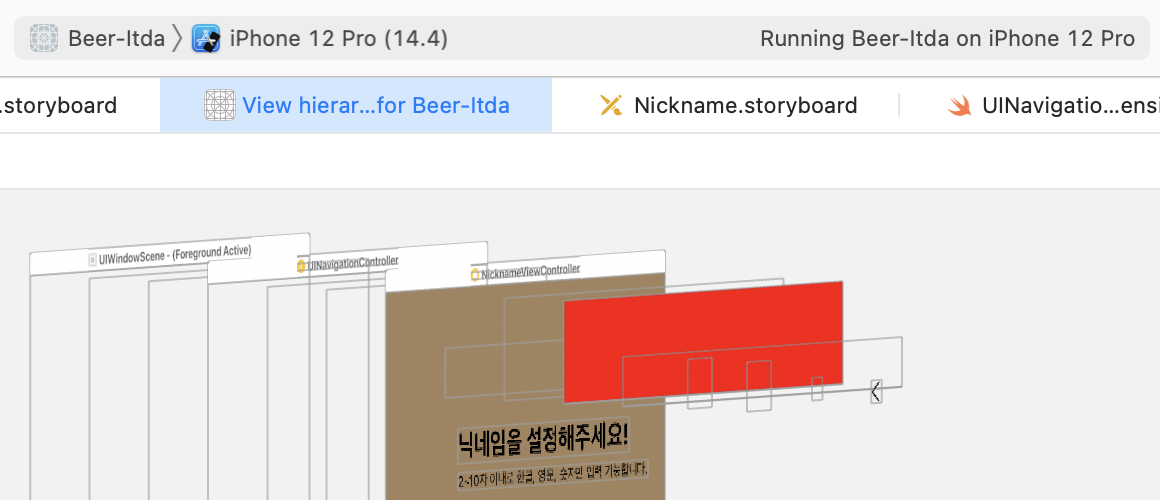
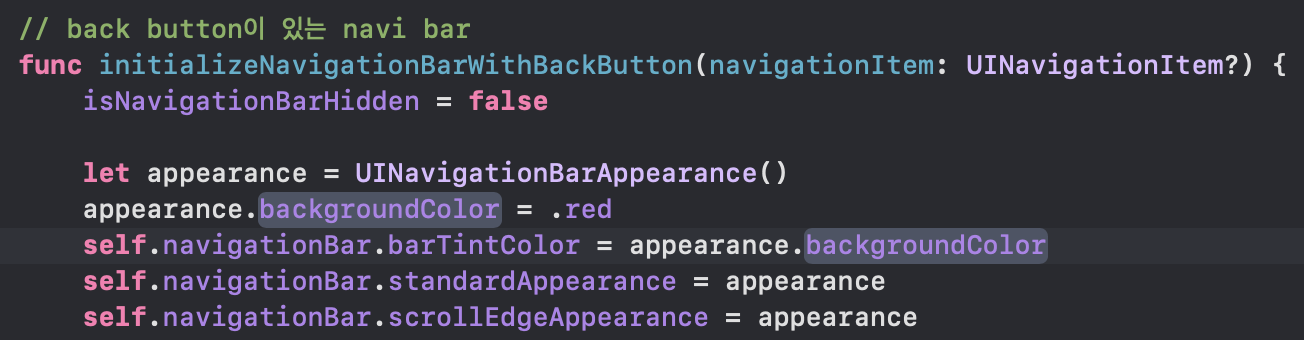
저렇게
self.navigationBar.barTintColor = appearance.backgroundColor
이걸 추가해줘야 (꼭 appearance.backgroundColor가 아니라 .red로 해도 되겠지만) iOS14에서도 잘 돌아간다
아 진짜 뭔데.. ㄱ- 찝찝하게시리
투명 Navigation Bar
우선.. 됐고 지금 나한테 필요한 건 투명 네비바다.
let appearance = UINavigationBarAppearance()
self.navigationBar.standardAppearance = appearance
self.navigationBar.scrollEdgeAppearance = appearance
appearance의 backgroundColor, navigationBar의 barTintColor line을 지워줬다.
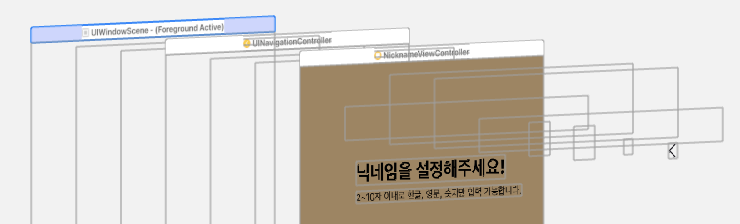
(iOS14) 잘 나오고,,
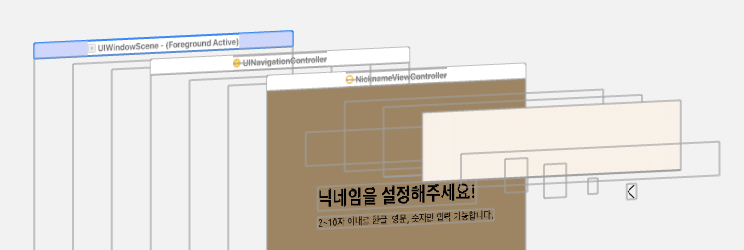
(iOS15) ㅋㅋ.. 아우 저 반투명 배경 좀 없애라 !!!!!!!!!!!
let appearance = UINavigationBarAppearance()
appearance.configureWithOpaqueBackground()
appearance.backgroundColor = .clear
appearance.shadowColor = .clear
self.navigationBar.standardAppearance = appearance
self.navigationBar.scrollEdgeAppearance = appearance
configureWithOpaqueBackground()로 불투명하게 만들어주고 배경색으로 clear를 줬는데,
Docs를 살펴보던 중 더 간단한 걸 발견했다.

…!!!!!! 대박 당장써 shadow도 없애준다.
let appearance = UINavigationBarAppearance()
appearance.configureWithTransparentBackground()
self.navigationBar.standardAppearance = appearance
self.navigationBar.scrollEdgeAppearance = appearance
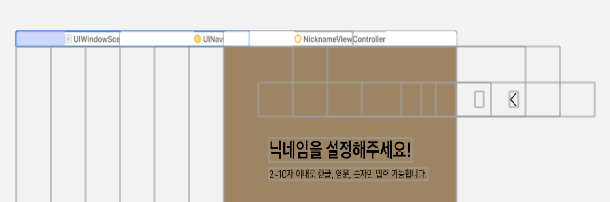
(iOS14)
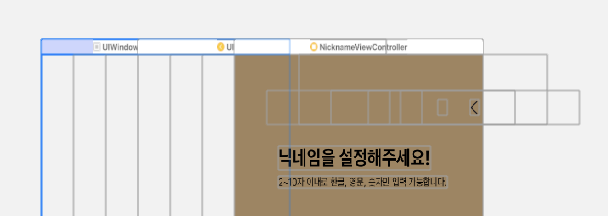
(iOS15)
ㄲㅑ악……….. 너무 깔끔해…. 행복…..
이제 configureWithTransparentBackground()이 어떻게 이루어져 있는지가 궁금해졌다. ㅋㅋㅋ
함수 내부 내용은 볼 수 없지만,,,
appearance.configureWithOpaqueBackground()
appearance.backgroundColor = .clear
appearance.shadowColor = .clear
이거겠지?