Table Header View에서 view transition 처리하기
|  |
| 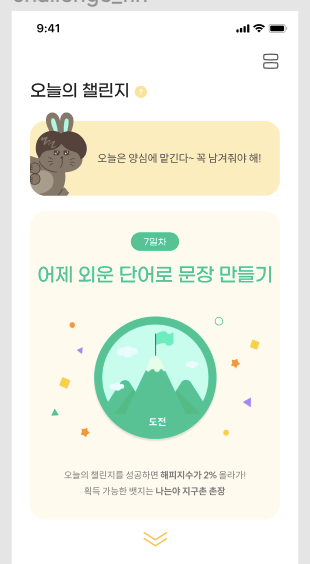
Table Header View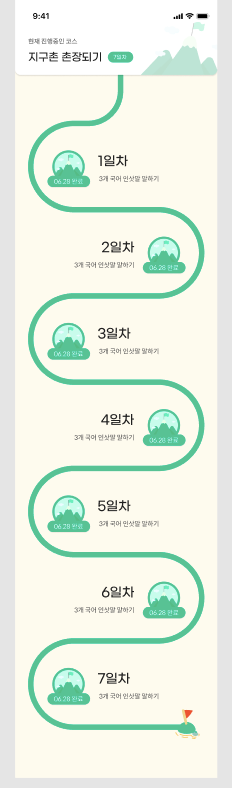
Table View |
| ———————————————————— | ———————————————————— |
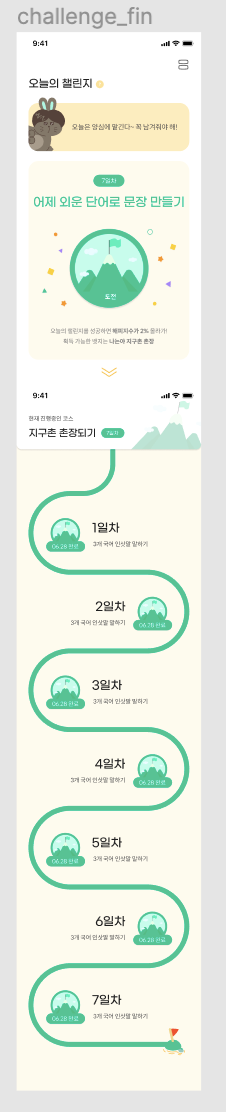
왼쪽의 뷰가 오른쪽과 같이 구성되어 있는데,
Table Header View의 도장을 누르면
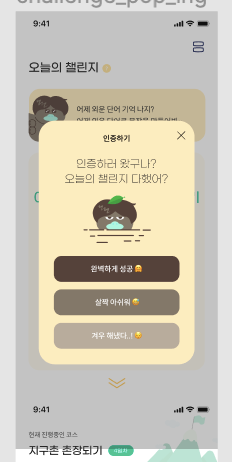
요렇게 Modal이 뜨고, Modal의 버튼을 누르면 다른 뷰로 이동을 시켜야 했다. 당연히, Header View Xib에서 transition function을 사용하면 동작을 안 한다.
TableView가 있는 View Controller에서 transition function을 실행시켜줘야 하는데,
이는 protocol을 사용해서 구현할 수 있다.
protocol 만들기
//
//  ChallengePopUpProcotol.swift
//  Mohaeng
//
//  Created by 초이 on 2021/10/10.
//

import Foundation
import UIKit

protocol ChallengePopUpProtocol: AnyObject {
    func touchStampButton(_ sender: UITapGestureRecognizer)
}
난 저 Stamp가 ImageView고, 거기에 TapGestureRecognizer를 붙인거라
sender를 UITapGestureRecognizer로 했는데,
버튼일 경우엔 그냥 UIButton을 써주면 된다.
Header View에서 함수 호출하기
import UIKit

class ChallengeStampView: UIView {

    // MARK: - Properties
    weak var challengePopUpProtocol: ChallengePopUpProtocol?
Header View Xib Swift 파일에서
protocol 변수를 만들어준다.
// MARK: - @IBAction Functions

@objc func touchStamp(_ gesture: UITapGestureRecognizer) {
    self.challengePopUpProtocol?.touchStampButton(gesture)
}
그리고 selecter function (UIButton일 경우엔 그냥 @IBAction function)에서
함수를 호출해준다. 구현은 여기서 하지 않고, transition을 수행할 VC에서 한다
VC에게 대리자 위임하기
// CourseViewController.swift

self.headerView?.challengePopUpProtocol = self
함수를 실제로 수행할 VC에게 대리자를 위임해준다.
VC에서 함수 구현부 작성하기
// MARK: - ChallengePopUpProtocol

extension CourseViewController: ChallengePopUpProtocol {
    func touchStampButton(_ sender: UITapGestureRecognizer) {
        let completePopUp = ChallengeCompletePopUpViewController()
        completePopUp.modalTransitionStyle = .crossDissolve
        completePopUp.modalPresentationStyle = .overCurrentContext
        completePopUp.popUpUsage = .challenge
        tabBarController?.present(completePopUp, animated: true, completion: nil)
    }
}
그리고 extension을 만들어서 stub 추가 후, 구현부를 작성해주면 된다.
참고: dismiss 후 push 해야 할 때
guard let pvc = self.presentingViewController else { return }

	self.dismiss(animated: true) {
		let settingStoryboard = UIStoryboard(name: Const.Storyboard.Name.setting, bundle: nil)
		guard let settingViewController = settingStoryboard.instantiateViewController(withIdentifier: Const.ViewController.Identifier.setting) as? SettingViewController else {
			return
    }
	pvc.present(settingViewController, animated: true, completion: nil)
}
dismiss후 present할 땐 이렇게 해주면 동작하지만,
dismiss 후 push는 이렇게 하면 안 된다. (pvc.navigatonController가 nil임)
이 때도 위와 같이 delegate를 사용해주면 된다. (대리자 위임 잘 해주고 !!!)